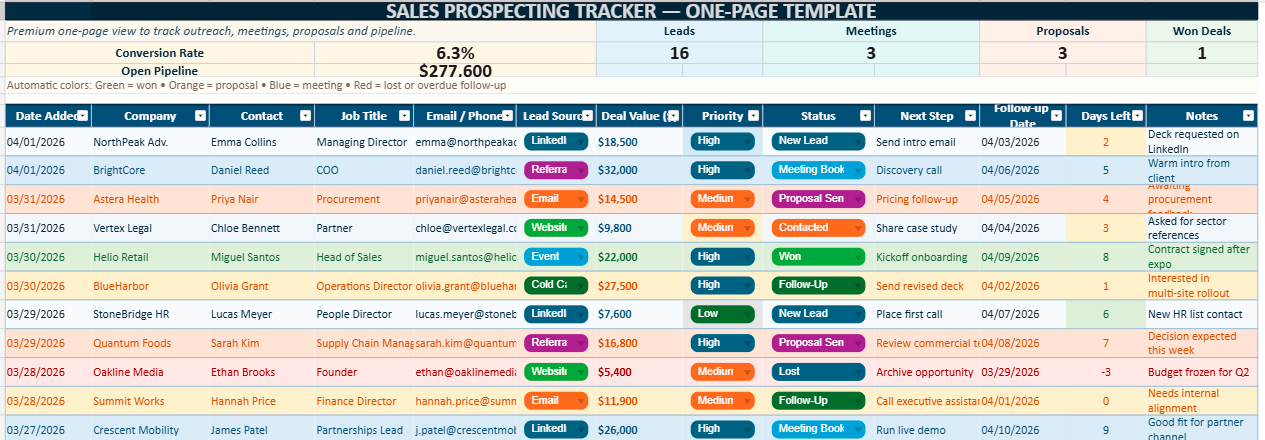
Sales Prospecting Template in Excel
Sales Prospecting Excel Template for Lead Management and Conversion to download⬇️ A practical tool for more disciplined prospecting
A sales prospecting template in Excel gives structure to one of the most demanding parts of commercial work. It helps turn scattered names, partial conversations, and isolated leads into a manageable sales pipeline.
Without that structure, prospecting quickly becomes uneven. A promising contact may receive one strong follow-up and then disappear into a crowded inbox. Another lead may stay on the radar for weeks without moving forward because the next step was never clearly defined. Excel helps restore order. It gathers the essential information in one place and gives the salesperson a simple framework for action.
That practical strength explains why Excel still holds its ground, even in environments filled with CRMs and automation tools. A well-designed one-page template feels immediate. It opens fast, reads fast, and supports action without a long learning curve. In many cases, that directness makes it more useful in daily prospecting than heavier systems that look powerful yet slow people down.
Why sales prospecting needs a clear framework
Prospecting generates movement, yet it also creates confusion when no clear method supports it. Calls, emails, referrals, LinkedIn messages, meeting requests, reminders, and quotations start to pile up. The sales process then becomes reactive rather than deliberate.
That shift is costly. When a prospecting routine relies too heavily on memory, strong leads get neglected, weaker opportunities receive too much time, and commercial effort becomes harder to evaluate. A clear template brings discipline back into the process. It gives every lead a place, every exchange a record, and every opportunity a visible next action.
More importantly, it changes the mindset behind the work. Instead of chasing whatever seems urgent that day, the salesperson starts working through a pipeline with more intention.
What a good Excel prospecting template should include
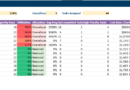
A strong prospecting template should capture the information that actually supports sales action. Core fields usually include the prospect’s name, company, role, phone number, email address, lead source, status, priority level, estimated deal value, date of last contact, next follow-up date, and a notes section.
Those fields matter because they create operational clarity. The file stops being a simple list of contacts and becomes a working sales document. It helps the user understand not only who the prospects are, but also what is happening with them and what should happen next.
The best templates also rely on clean visual structure. Dropdown menus, status colors, readable headers, and compact spacing improve speed of use. A salesperson should be able to scan the sheet in seconds and identify hot leads, delayed follow-ups, or stalled opportunities without effort.
The value of a one-page layout
A one-page layout offers an immediate advantage: visibility. The user sees the essential pipeline at once, without jumping between tabs or scrolling through a cluttered workbook.
That matters in real sales life. Before a prospecting session, a meeting, or a reporting call, the salesperson often needs a quick overview rather than a deep technical system. A one-page template supports that need very well. It keeps the focus on what matters now: who to contact, what to say next, and which deals deserve attention first.
Managers benefit from the same clarity. With a single glance, they can identify active opportunities, spot bottlenecks, and understand whether the pipeline shows real momentum or only surface activity.
How Excel supports daily sales activity
Excel remains useful because it adapts to everyday commercial reality. A file can be updated after a phone call, during a break between meetings, or at the end of the day without any technical friction. Filters, sorting, conditional formatting, and formulas make it flexible enough for many prospecting routines.
Its familiar environment also helps. Most teams already know how to use Excel, which makes adoption easier and faster. That familiarity reduces resistance. People tend to use tools they understand, especially when their day already involves enough pressure and unpredictability.
Even when a company later adopts a CRM, Excel often keeps a role in targeted outbound campaigns, temporary lead lists, or niche prospecting operations. It remains relevant because it is simple, direct, and adaptable.
Key stages of the prospecting process
A prospecting template becomes much more useful when it reflects the real progression of a sales conversation. A lead may begin as a new contact, move into outreach, then qualification, follow-up, meeting, proposal, negotiation, and final outcome.
When these stages appear clearly in the file, the salesperson can track movement rather than isolated events. That difference is important. It becomes easier to tell whether the pipeline is truly advancing or merely filling up with names.
This visibility also supports better analysis. If many leads reply but few accept meetings, the issue may come from targeting or messaging. If proposals go out but deals do not close, the sales team may need to review qualification, pricing, or positioning.
The role of lead qualification
Lead qualification protects time. It helps the salesperson decide where effort will bring the highest return.
A good prospecting template should therefore make room for qualification signals such as company size, industry, urgency, buying potential, decision-making authority, and level of interest. These details sharpen commercial judgment. They help distinguish between a casual contact and a real business opportunity.
Too many teams treat all leads as if they deserved the same energy. In practice, that approach weakens performance. Strong prospecting does not depend only on volume. It depends on selection. Excel can support that selection very well when the template is built with clear priority logic.
Why follow-up discipline matters
Most opportunities do not convert after the first interaction. They need timing, repetition, and relevance. That is why follow-up discipline matters so much in prospecting.
A template that includes a clear next action date immediately becomes more valuable. It protects warm leads from being forgotten. It also reduces the common problem of vague intention, where the salesperson knows a follow-up should happen but never defines when.
That discipline also improves the client experience. Prospects notice when communication feels organized. They notice when a salesperson remembers the context, follows up at the right time, and moves the conversation forward with purpose.
The importance of lead sources
Tracking lead sources adds another layer of intelligence to the prospecting process. A lead may come from LinkedIn, cold email, referrals, networking, website inquiries, trade shows, paid campaigns, or direct calls.
This information helps the team understand where quality opportunities actually come from. Over time, patterns emerge. Some channels may generate a lot of names but very few serious conversations. Others may bring fewer leads, yet convert much better.
That kind of learning matters. It helps salespeople refine their effort and stop relying on assumptions. A strong template does not only record activity. It also reveals where commercial energy produces the best outcomes.
Using KPIs to strengthen decision-making
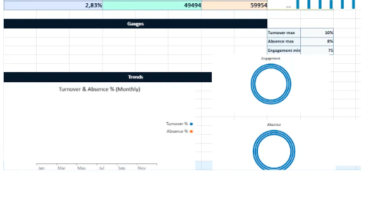
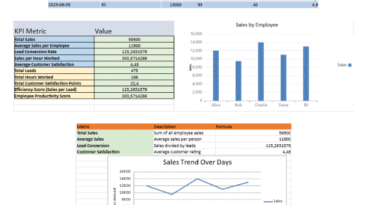
A one-page sales prospecting template becomes more powerful when it includes a compact KPI section at the top. Metrics such as active leads, meetings booked, proposals sent, closed deals, conversion rate, and expected revenue provide a quick reading of performance.
These indicators give the spreadsheet a second function. It stops being only a tracking sheet and becomes a simple dashboard as well.
That added visibility helps users think more clearly. A growing number of leads may seem encouraging, yet if the meeting rate stays weak, the pipeline may not be as healthy as it looks. KPIs bring useful perspective. They connect effort to result and make performance easier to interpret.
Benefits for salespeople and managers
For salespeople, the first benefit is clarity. The workday becomes easier to manage when the next actions, top priorities, and open opportunities all appear in one structured view.
That clarity reduces mental overload. It allows the salesperson to begin the day with direction rather than hesitation. In a role where interruptions and shifting priorities are constant, that advantage is substantial.
For managers, the benefit lies in visibility and coaching. A good template makes it easier to review activity, spot weak patterns, and challenge commercial habits with precision. It also supports alignment across the team because everyone works from the same prospecting logic.
Common mistakes to avoid
Some prospecting templates fail because they become too complicated. They contain too many columns, too many visual effects, or too many details that nobody updates consistently. In that case, the file becomes tiring to maintain and slowly loses credibility.
Others fail for the opposite reason. They remain so basic that they cannot support real follow-up or prioritization. A simple contact list may look clean, yet it rarely offers enough insight for serious prospecting work.
The right balance is essential. A good template should feel rich enough to guide decisions and light enough to stay usable every day.
Another common problem comes from poor maintenance. Even the best spreadsheet becomes unreliable when statuses stay outdated, notes remain incomplete, or next steps are missing. The design matters, yet routine matters even more.
How to use the template effectively
The most effective habit is to treat the file as a living workspace rather than a passive archive. New leads should enter quickly. Statuses should change after each meaningful interaction. Follow-up dates should be set immediately, while the conversation is still fresh.
A short review rhythm also improves results. At the beginning of the week, the salesperson can scan urgent leads and upcoming actions. Midweek, it becomes useful to review stalled opportunities. At the end of the week, the sheet can be updated with outcomes and next moves.
This routine sounds simple, yet it creates momentum. The template starts supporting rhythm, accountability, and sharper sales judgment.
Why a premium design makes a difference
Design influences usage more than many people expect. A premium-looking Excel template improves readability, supports faster scanning, and makes the daily sales routine feel more professional.
Clean typography, balanced white space, elegant colors, and well-placed KPI blocks all contribute to a better user experience. The goal is not decoration for its own sake. The goal is smoother execution.
A polished template also encourages adoption inside a team. People naturally engage more with tools that feel clear, intentional, and credible. In a commercial setting, where consistency matters, that design advantage becomes highly practical.
One-Page Sales Prospecting Template Excel: Manage Leads Efficiently
A sales prospecting template in Excel remains one of the most useful tools for organizing outbound activity and managing opportunity flow with greater discipline.
Its strength comes from a rare combination: simplicity, flexibility, and immediate usability. It does not ask the user to learn a complex platform before taking action. It supports prospecting in a way that feels concrete and accessible.
Used consistently, such a template can improve follow-up quality, sharpen prioritization, and create a more reliable sales rhythm. That is what makes it valuable. Good prospecting is not only about contacting more people. It is about moving the right opportunities forward with clarity and persistence.
A one-page sales prospecting template works best when it stays practical, readable, and focused on action. It should help the user capture relevant information, prioritize strong leads, schedule follow-ups with discipline, and monitor results without slowing down the pace of work.
For sales teams, freelancers, consultants, and growing businesses, Excel still offers a very effective way to structure prospecting. With the right template, commercial effort becomes easier to track, easier to improve, and much easier to sustain over time.
FAQ – Sales Prospecting Template Excel
What is a sales prospecting template in Excel?
A sales prospecting template in Excel is a structured spreadsheet used to track leads, organize contact details, monitor follow-ups, and manage pipeline stages in one place. It helps sales professionals keep prospecting activity clear, consistent, and easier to manage every day.
Why use Excel for sales prospecting?
Excel remains a practical option because it is familiar, flexible, and quick to use. A well-designed spreadsheet allows users to track prospects, update statuses, sort priorities, and review follow-up dates without the complexity of a larger CRM system.
What should a sales prospecting spreadsheet include?
A useful sales prospecting spreadsheet usually includes the prospect name, company, job title, email, phone number, lead source, status, priority, estimated value, last contact date, next follow-up date, and notes. These fields help users move from simple contact storage to active pipeline management.
Is a one-page sales prospecting template enough?
In many cases, yes. A one-page layout gives a fast overview of leads, follow-ups, and deal stages without making the file feel heavy. It works especially well for freelancers, small businesses, consultants, and lean sales teams that want a simple but effective tracking tool.
How does a sales prospecting template improve follow-up?
A prospecting template improves follow-up by making the next action visible. When each lead has a clear status, a last interaction date, and a scheduled follow-up date, fewer opportunities are forgotten and the sales process becomes more consistent over time.
Can an Excel sales prospecting template replace a CRM?
It can serve as an effective alternative for many users, especially when the sales process is still manageable in a spreadsheet. For larger teams or more complex workflows, a CRM may offer deeper automation and reporting. Still, Excel remains a strong option for straightforward prospect tracking and daily commercial follow-up.
Who can use a sales prospecting Excel template?
Sales representatives, business developers, freelancers, consultants, account managers, founders, and small sales teams can all use this kind of template. It is especially useful for professionals who want a practical way to centralize leads and manage outreach with more discipline.
What is the difference between lead tracking and sales prospecting?
Lead tracking focuses on recording and monitoring contacts, while sales prospecting covers the broader commercial effort of identifying, contacting, qualifying, and moving potential clients through the sales pipeline. A good Excel template supports both functions at the same time.
What KPIs can be added to a sales prospecting template?
Common KPIs include total leads, active prospects, meetings booked, proposals sent, deals won, estimated pipeline value, and conversion rate. These indicators help turn the spreadsheet into a simple dashboard for faster review and better decision-making.
How often should a sales prospecting spreadsheet be updated?
The spreadsheet should be updated after each meaningful interaction. A quick update after a call, email, meeting, or follow-up keeps the file accurate and useful. A short weekly review also helps maintain consistency and identify the next priorities more clearly.