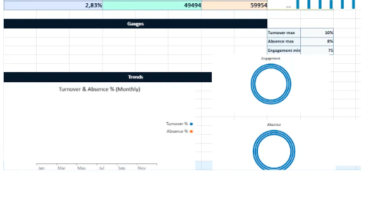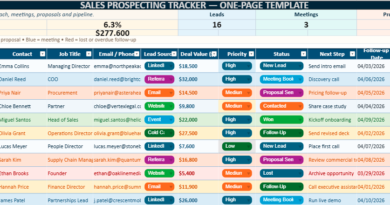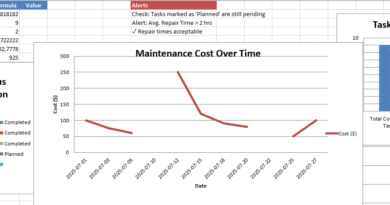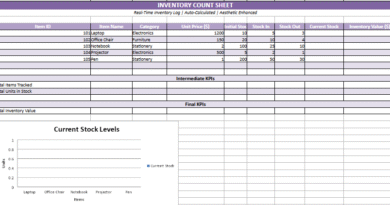
Balanced Scorecard Template in Excel
Behind every effective Balanced Scorecard, there is a clear, readable, and genuinely usable support tool. When an organization wants to structure strategic objectives, track KPIs, and visualize priorities, an improvised spreadsheet quickly shows its limits. That is exactly where a well-designed Balanced Scorecard template becomes valuable from the very first stage.
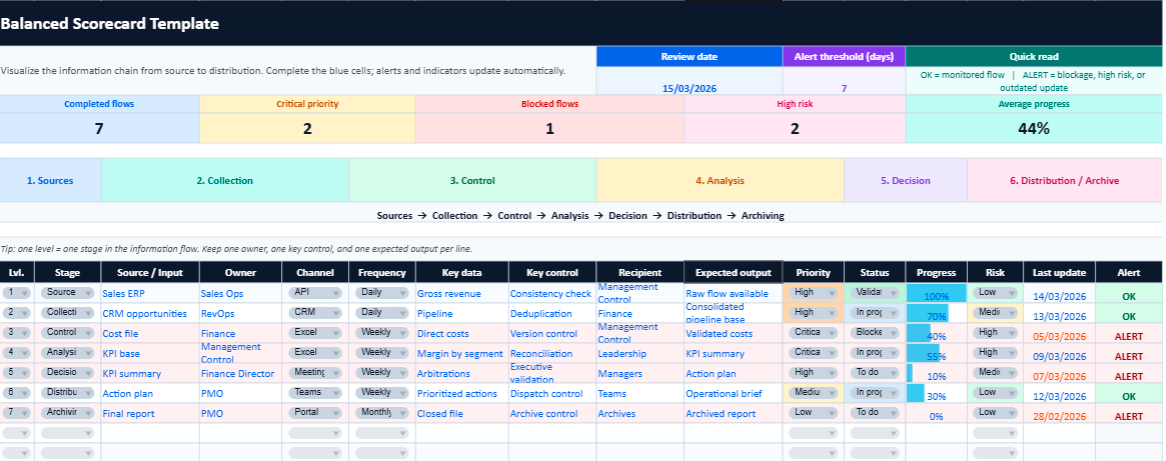
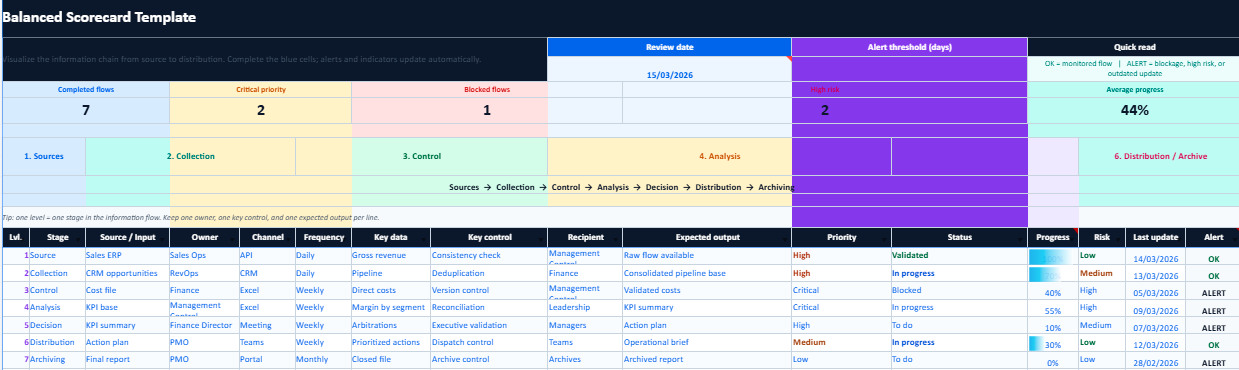
This Excel file helps organize perspectives, indicators, targets, and actions in a one-page layout that is easier to use on a daily basis. It can suit a small business, an administrative department, a project team, or any organization that wants to connect strategy more clearly to results. Download the template to save time, start from a cleaner structure, and adapt the scorecard quickly to your own context.
It includes a more refined visual structure, a clearer flow logic, and practical features designed to make performance tracking easier.
Balanced Scorecard: Method, Example, Excel Template, and Strategic Dashboard
The Balanced Scorecard remains one of the most useful tools for connecting an organization’s strategy to concrete performance indicators. Behind a term that can sometimes seem theoretical, there is in fact a very practical management method: it helps clarify objectives, select the right KPIs, monitor results, and turn a strategic vision into measurable actions.
This approach is relevant for small businesses, associations, HR departments, commercial teams, and industrial organizations alike. When readers land on a page like this, they are rarely looking for a definition alone. They usually want to understand how to build a Balanced Scorecard, see a credible example, identify the right indicators, and often download an Excel template ready to fill in.
Balanced Scorecard: A Simple Definition
A Balanced Scorecard is a strategic management method used to track organizational performance through several complementary perspectives. Instead of focusing only on financial figures, it offers a more balanced view by also considering customer satisfaction, internal process efficiency, and the organization’s ability to learn, improve, and grow.
The central idea is straightforward: an organization progresses in a sustainable way only when its strategy is translated into clear objectives, relevant indicators, measurable targets, and concrete initiatives. The Balanced Scorecard is designed precisely to structure all of this in a readable and actionable framework.
Financial Perspective
Measure profitability, growth, cost control, and overall financial strength.
Customer Perspective
Assess satisfaction, loyalty, perceived quality, and the value delivered to the market.
Internal Processes
Track operational efficiency, quality, lead times, and the smooth running of key activities.
Learning and Growth
Monitor skills, innovation, engagement, and the organization’s capacity to evolve.
How to Build a Balanced Scorecard in 7 Steps
Define what the organization is truly trying to achieve in the medium and long term.
Distribute priorities across finance, customers, internal processes, and learning.
Link each objective to a concrete, measurable, and useful indicator.
Determine the expected level for each indicator over a defined period.
Identify the actions, projects, or adjustments that will support progress.
Plan measurement frequency, data updates, and accountability.
Adjust indicators, targets, and priorities according to actual progress and context.
Simple Example of a Completed Balanced Scorecard
| Perspective | Objective | KPI | Target | Initiative |
|---|---|---|---|---|
| Financial | Improve margin | Margin rate | +5% | Reduce indirect costs |
| Customer | Increase satisfaction | Satisfaction score | 90% | Improve service responsiveness |
| Internal Processes | Reduce lead times | Average processing time | -20% | Review the operational workflow |
| Learning and Growth | Develop skills | Training hours | 20 h/year | Targeted training plan |
Balanced Scorecard Excel Template to Download
A Balanced Scorecard Excel template answers a very practical need. Many readers understand the method in theory, then immediately look for a working file they can use in real life. A strong Excel template does more than line up a few columns. It helps structure thinking, visualize objectives, monitor KPIs, and centralize targets in one coherent framework.
The most useful format usually combines a blank version, a completed example, and a monthly monitoring area. That combination turns an informational page into a resource that can genuinely support day-to-day management.
Strategic map and objectives
KPIs, targets, and owners
Action plan by initiative
Monthly visual tracking
What readers most often look for on this type of page
- a ready-to-use Balanced Scorecard Excel template
- a complete example with objectives, KPIs, and targets
- a simple version for a small business or lean team
- a clear strategic dashboard that can be adapted quickly
Balanced Scorecard by Function or Organization Type
Small Business
To connect growth, profitability, customer satisfaction, and internal structure.
HR
To track turnover, absenteeism, training, engagement, and talent development.
Sales
To manage revenue, conversion, retention, and field performance.
Industry
To monitor productivity, quality, lead times, maintenance, and cost control.
Association
To connect impact, resource management, quality of action, and team involvement.
Balanced Scorecard vs. Traditional Dashboard
| Criteria | Balanced Scorecard | Traditional Dashboard |
|---|---|---|
| Purpose | Strategic management | Operational monitoring |
| View | Global and balanced | Often partial or functional |
| Structure | Four linked perspectives | List of indicators |
| Time horizon | Medium and long term | Short term |
Common Balanced Scorecard Mistakes
- Choosing too many indicators and losing clarity.
- Confusing objectives, KPIs, targets, and actions.
- Selecting indicators that are easy to measure but weakly tied to strategy.
- Building a theoretical dashboard without a real update process.
- Forgetting team ownership and turning the tool into a static document.
Quick User Guide for the Excel File
This Balanced Scorecard template is designed for quick and practical use. Simply fill in the designated cells to adapt the file to your objectives, KPIs, targets, and strategic priorities.
Fill in your objectives, KPIs, owners, and targets in the dedicated cells.
Select status values and progress levels to keep the scorecard consistent and easy to read.
Colors and alert markers help identify priorities and areas that need attention more quickly.
Refresh the data regularly to keep the dashboard useful for monitoring performance and supporting decisions.
The file works best when updated consistently with a limited number of relevant KPIs and realistic targets.