Attendance Sheets to Download: Purpose, Types, and Use Cases
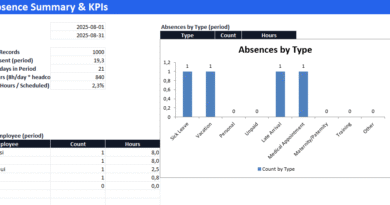
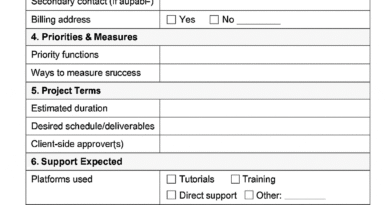
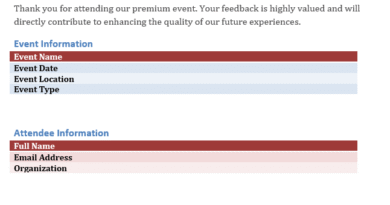
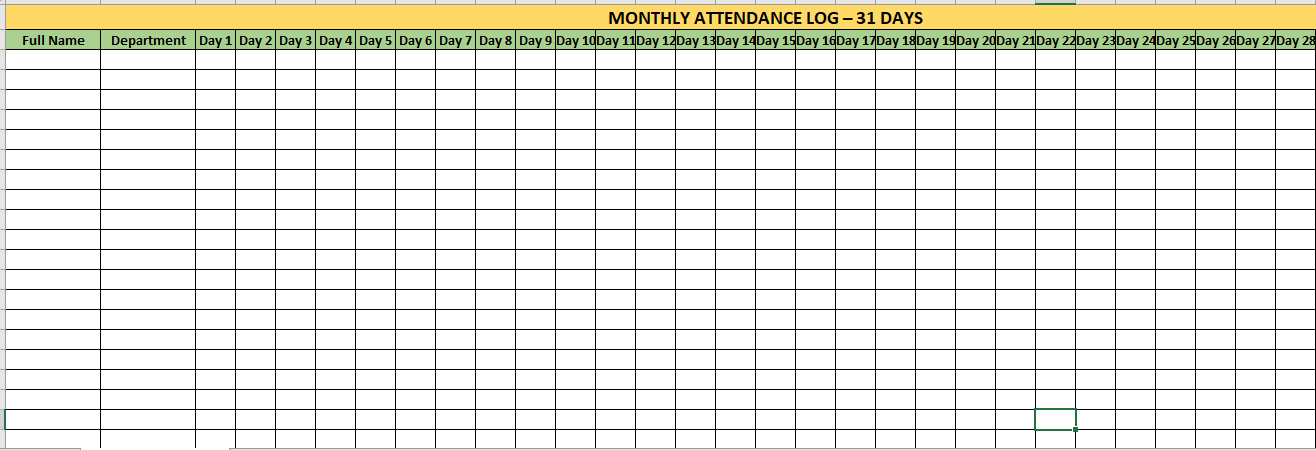
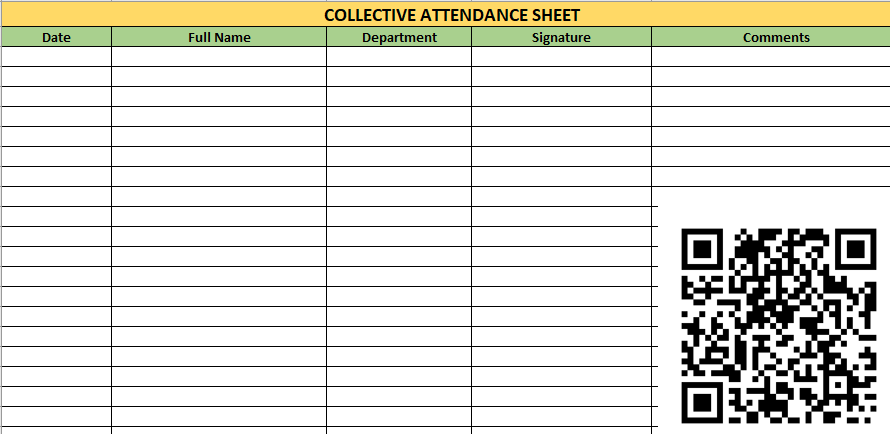
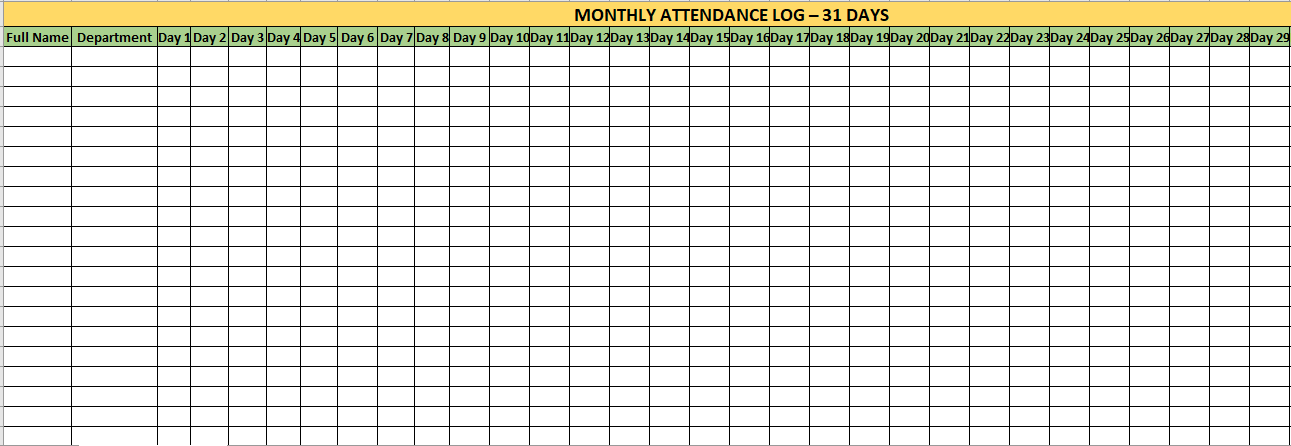
Download 3 examples of attendance sheets ⬇️
What Is an Attendance Sheet?
An attendance sheet is a tool used to record the presence, absence, tardiness, or leave of individuals in a particular setting—typically on a daily, weekly, or monthly basis. It serves as an official record and plays a vital role in managing productivity, compliance, and accountability in educational, professional, and event environments.
Purpose of an Attendance Sheet
The primary functions of an attendance sheet include:
- Monitoring Presence: Track who was present, absent, or late.
- Time Management: Identify patterns of lateness or absenteeism.
- Payroll and Compensation: Help calculate employee wages, overtime, or leave deductions.
- Compliance and Auditing: Maintain accurate records for legal or HR audits.
- Performance Evaluation: Gauge individual responsibility and reliability.
- Record-Keeping: Serve as historical data for future planning or disputes.
Types of Attendance Sheets
1. Manual Attendance Sheets
- Paper-Based: Often used in classrooms or small teams.
- Pros: Simple to use, no technology required.
- Cons: Prone to errors and hard to manage for larger groups.
2. Digital Attendance Sheets (Spreadsheets)
- Typically built using Excel or Google Sheets.
- Pros: Easily editable, formulas can automate calculations.
- Cons: Requires basic computer skills.
3. Biometric or App-Based Attendance Systems
- Use fingerprint scans, face recognition, or mobile apps.
- Pros: Highly accurate, integrated with payroll and reports.
- Cons: Costly and dependent on tech infrastructure.
Use Cases by Environment
1. Educational Institutions
- Teachers track daily student attendance.
- Helps identify chronic absentees or at-risk students.
- Basis for grade participation or truancy reporting.
2. Corporate Workplaces
- HR departments monitor employee in/out times.
- Useful for calculating pay, bonuses, or disciplinary action.
3. Events and Conferences
- Sign-in sheets confirm participant presence.
- Helps validate certificates or participation counts.
4. Volunteer Organizations
- Track volunteer hours for credit or recognition.
- Ensures fairness in work distribution.
5. Project Teams
- Track attendance in daily stand-up meetings or project milestones.
- Supports accountability and project reporting.
An attendance sheet may seem simple, but it is a foundational tool across multiple domains. Whether used in schools, offices, or events, it helps keep track of who shows up, when, and how often—ensuring transparency, fairness, and operational efficiency. As technology evolves, so do attendance tracking methods, but the core goal remains the same: reliable and accurate attendance management.
How to Create and Use an Attendance Sheet Effectively
Designing an Effective Attendance Sheet
An efficient attendance sheet is easy to read, quick to update, and designed according to the context in which it’s used. Here’s how to set one up:
1. Choose a Format
- Daily, Weekly, or Monthly View: Pick the timeline based on frequency of attendance tracking.
- Digital vs. Manual: Choose Excel or Google Sheets for automation, or paper for simplicity.
2. Key Components to Include
- Name List: Column for participants, employees, or students.
- Dates or Sessions: Rows or columns labeled with dates or time slots.
- Attendance Codes: Use simple indicators like:
- P = Present
- A = Absent
- L = Late
- E = Excused
- Totals/Stats: Auto-calculate days present, absent, or late (if using a digital format).
- Remarks/Comments: Add space for notes on absences or leave reasons.
3. Add Conditional Formatting (Optional)
In tools like Excel, you can highlight:
- Absent cells in red
- Late entries in orange
- Perfect attendance rows in green
Using Attendance Sheets Across Scenarios
For Teachers
- Tip: Print a monthly version to track behavior or comments.
- Best Practice: Use attendance trends to intervene early with underperforming students.
For Managers/HR
- Tip: Automate calculations for paid time off (PTO) and overtime.
- Best Practice: Link the attendance sheet with payroll systems for real-time updates.
For Event Planners
- Tip: Use QR code check-ins and auto-populate attendance logs.
- Best Practice: Store attendance digitally to validate certificates or reimbursements.
For Remote Teams
- Tip: Use cloud-based sheets for team members to mark attendance daily.
- Best Practice: Combine attendance with task logs or time tracking software.
Common Mistakes to Avoid
- Not backing up data (especially in digital files)
- Missing dates or wrong formatting
- Inconsistent attendance codes
- Lack of total attendance calculation
📅 Monthly Attendance Log with Automated Summary: A Practical Tool for Smart Workforce Tracking
Keeping track of attendance is more than administrative routine—it’s a vital tool for managing team engagement, training participation, and operational accountability. A monthly attendance log, especially when paired with automated summaries, turns manual checking into a streamlined, transparent process.
📋 What Is a Monthly Attendance Log?
It’s a spreadsheet or document that allows you to record who was present on each day of a given month. Typically, it includes:
- Employee name and department
- One column per day (e.g. Day 1 to Day 31)
- A marker (often “x” or ✓) for attendance
- Optional notes or session details
When enhanced with formulas, this simple table becomes a live attendance dashboard.
📈 Why Add Automated Totals and Percentages?
Manual tracking is time-consuming. Automating the calculations helps you:
| Advantage | Description |
|---|---|
| ✅ Reduce errors | No need to manually count marks |
| View attendance rates easily | Get percentages per person at a glance |
| Improve reporting | Use totals for training records or audits |
| 📥 Export summaries | Prepare monthly reports in seconds |
In Excel, this can be done using simple functions like COUNTIF and COUNTA to tally attendance and compute attendance rates.
Who Should Use It?
This system is ideal for:
- HR teams tracking training attendance
- Supervisors monitoring shift presence
- Safety and compliance officers keeping logs of mandatory sessions (e.g. fire drills, toolbox talks)
- Training managers overseeing participation in onboarding or technical courses
🛠️ How It Works
Each row represents a participant. For each day, the person responsible for attendance (HR, trainer, supervisor) enters an "x" in the appropriate date column.
At the end of the row, the spreadsheet:
- Sums the total
"x"marks across all days - Divides by the total number of days to compute the attendance percentage
💡 Color-coding or conditional formatting can also be added to visually flag low attendance rates.
📦 What’s in the Ready-Made Template?
The downloadable Excel template includes:
- Columns for 31 calendar days
- Fields for Full Name, Department
- Auto-calculated:
- ✔️ Total days attended
- 📊 Attendance %
- 30 participant rows (expandable)
- Clean formatting for print or screen use
📥
An automated monthly attendance sheet turns repetitive tracking into data you can act on. Whether you’re managing safety briefings, team training, or daily presence logs, this tool helps ensure clarity, compliance, and control—without added workload.
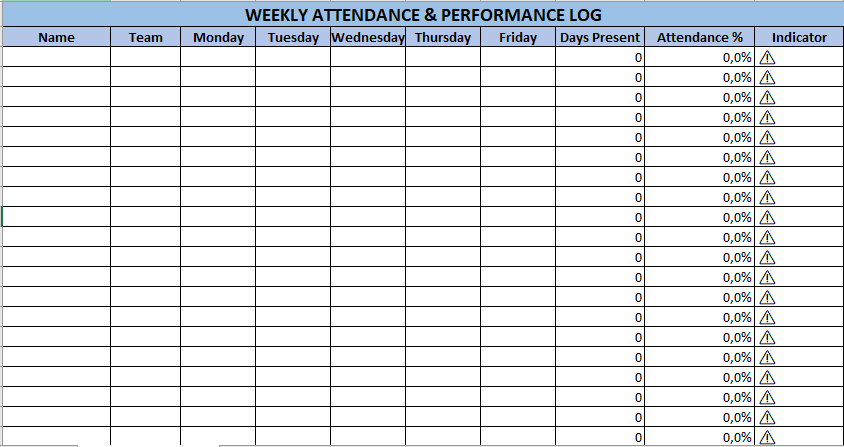
📘 WEEKLY ATTENDANCE & PERFORMANCE LOG – Description
The Weekly Attendance & Performance Log is a structured, dynamic Excel tool designed to track individual presence and automatically assess performance for short-term attendance—perfect for weekly shifts, training sessions, or compliance-based activities.
Structure of the Sheet
| Column | Function |
|---|---|
| Name | Full name of the employee or participant |
| Team | Department, unit, or project team they belong to |
| Monday–Friday | Daily presence marking using "x" or any indicator |
| Days Present | Auto-calculated total of days attended in the week |
| Attendance % | Percentage based on attendance out of 5 days |
| Indicator | A visual performance marker: ✔ if ≥80% attendance, ⚠ if below 80% |
⚙️ How It Works
- The user enters an “x” in each day’s column (Monday to Friday) to mark presence.
- The sheet uses Excel’s
COUNTIFto calculate how many days the person was present. - A percentage formula (
days_present / 5) displays attendance performance. - A final column shows a symbolic indicator:
- ✔ = good attendance (≥ 80%)
- ⚠ = below expected level
Formatting & Design
- Color-coded title row in light blue
- Headers in pastel blue-green for clarity and readability
- Compact table design ideal for printing or digital use
- Columns with optimized width for daily checkmarks
Capacity
- Pre-filled with 20 participant rows
- Easily expandable if you want to track a larger group
Ideal Use Cases
- Weekly shift tracking for production or field teams
- Compliance logs for mandatory health or safety briefings
- Training session attendance performance
- Monitoring punctuality or presence over short projects
🛠 Optional Customizations
This log can be extended to include:
- Color-coded cell alerts (red/green) based on attendance %
- Automated department-wide summaries
- Printable PDF or bilingual versions
- Comment or observation columns