Daily Preventive Maintenance Inspection Checklist: Free Excel Templates
Recommandés


Download Daily Preventive Maintenance Inspection Checklist in Excel ⬇️
Preventive maintenance is a vital function in any equipment-reliant industry, from manufacturing to logistics. Staying ahead of machine failures or safety hazards depends heavily on structured routines and well-documented checks. While software solutions exist, they’re not always accessible to smaller teams or operations with limited budgets. For that reason, spreadsheet-based tools like Excel remain an extremely practical solution.
Instead of focusing only on theory or abstract benefits, let’s explore two functional and ready-to-use Excel formats specifically designed for daily preventive maintenance tasks.
Format 1: The Structured Daily Preventive Maintenance Checklist
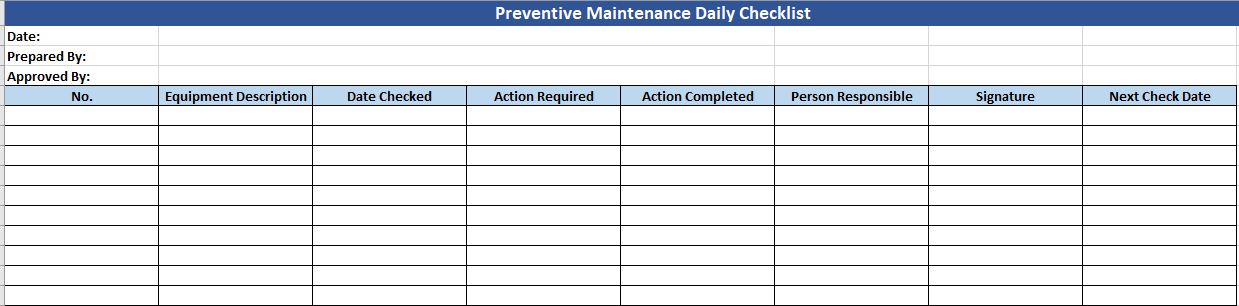
This model is designed for precision and accountability. Its structure reflects a professional maintenance workflow where responsibilities are clearly defined and follow-up actions are traceable.
Layout Overview
- Title and Metadata: The top of the sheet features a distinct title bar with date, “Prepared by”, and “Approved by” sections.
- Table Columns:
- Equipment descriptions
- Date checked
- Required and completed actions
- Responsible personnel
- Signatures
- Due date for next check
- Design Considerations:
- Consistent borders for clarity
- Color-coded headers to separate information types
- Enough rows for daily or weekly batch checks
Use Case
Ideal for factories, workshops, or facilities where equipment inspection must be reviewed by multiple individuals (e.g. technician, supervisor, and manager). It supports compliance by clearly recording who did what and when.
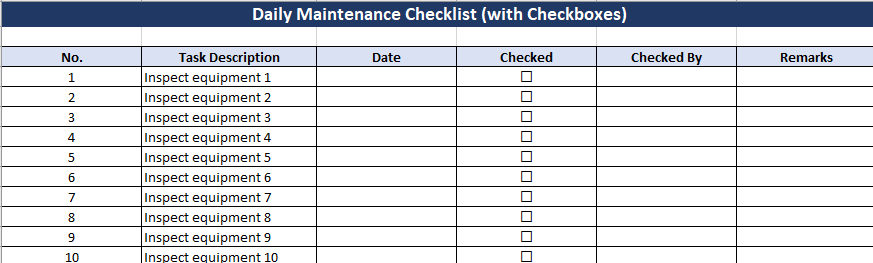
Format 2: The Daily Maintenance Checklist with Checkboxes
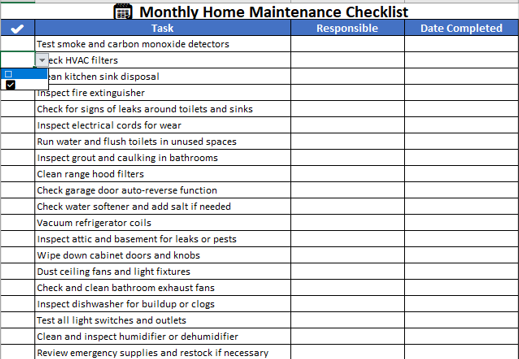
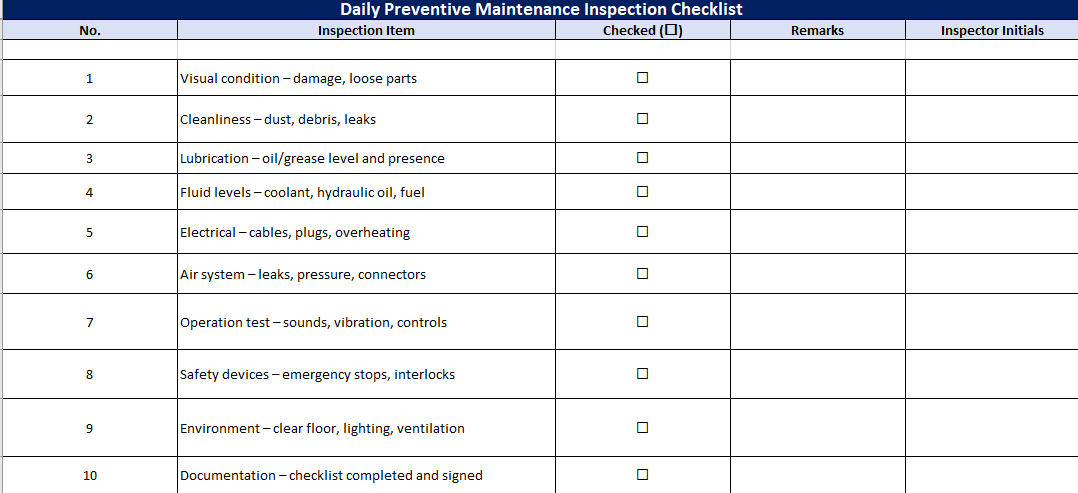
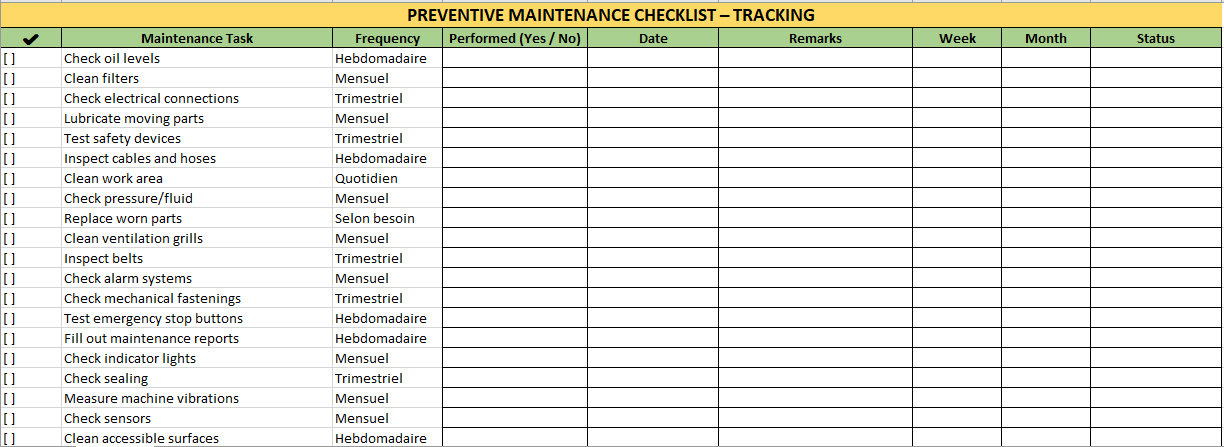
This version is more flexible and casual in tone. It incorporates visual checkbox symbols (☐) to quickly indicate completed tasks. Rather than depending on typed “Yes” or “Done” entries, this design mimics physical inspection sheets used in the field.
Layout Overview
- Title Row: Bold, modern design with a clean dark background for visibility.
- Checklist Table:
- Task numbers
- Task descriptions
- Date
- Checkbox (☐ or ☑)
- Checked by
- Remarks
Design Touches
- Wider cells for comments
- Font and alignment tailored for legibility on paper or tablets
- Emphasis on speed: the user can quickly glance down a list and tick off completed tasks
Use Case
Perfect for routine inspections or shift changeover handovers. A team lead can run through the checklist at the start or end of a day without needing detailed documentation—just a fast, efficient verification process.
Why Use Excel for Maintenance Tracking?
Though dedicated software is great, it often requires training, licensing, and IT integration. Excel has none of those barriers. With the two models above:
- You can modify fields instantly.
- You don’t need internet or login credentials.
- They’re printable and easy to store in binders if needed.
Moreover, formulas, dropdowns, or conditional formatting can be added as you grow into more complex requirements—something that makes Excel uniquely scalable.
✔ Both of these checklists were designed with real-world use in mind. One focuses on detailed accountability with dates and sign-offs. The other leans toward operational speed and simplicity. Whether you’re running a factory floor or managing tools in a maintenance garage, these models give you an efficient starting point that costs nothing to implement.
What to Inspect During Daily Preventive Maintenance 🔧
1. Machine Visual Condition
- Check for visible damage (dents, cracks, wear)
- Look for loose bolts, screws, or fittings
- Ensure guards, covers, and safety barriers are secure
2. Cleanliness
- Inspect for dust, grease, or debris buildup on and around the machine
- Clean air vents, fans, and filters
- Check for oil leaks or fluid drips
3. Lubrication
- Confirm that oil and grease levels are adequate
- Ensure lubrication points are not dry
- Look for signs of over-lubrication (e.g., dripping oil)
4. Fluid Levels
- Check hydraulic oil, coolant, fuel, and water levels
- Inspect for contaminated or discolored fluids
- Monitor reservoir caps for proper sealing
5. Power Supply & Electrical Components
- Ensure power cables, plugs, and connectors are undamaged
- Check control panels and switchgear for overheating signs
- Test emergency stop buttons for responsiveness
6. Air and Pneumatic Systems
- Listen for air leaks
- Check hoses and connectors for wear
- Ensure pressure gauges are in normal range
7. Operation and Function Testing
- Run the machine and observe for:
- Unusual noises
- Vibration
- Slow or jerky movement
- Confirm all buttons, levers, and sensors respond correctly
8. Safety Features
- Test interlocks, guards, emergency stops
- Ensure warning labels and signage are visible and intact
- Verify alarms and indicators work properly
9. Environment Around the Equipment
- Check for obstructions in walking or access areas
- Ensure floor is clean and dry
- Confirm adequate lighting and ventilation
10. Documentation & Checklist Completion
- Record all findings in your maintenance log or checklist
- Note any issues found or actions taken
- Sign and time-stamp your inspection to maintain accountability
Optional Additions Based on Equipment Type
- Temperature readings for motors or bearings
- Alignment checks for belts and pulleys
- Filter pressure differentials
- Battery voltage and charge level (for battery-operated equipment)
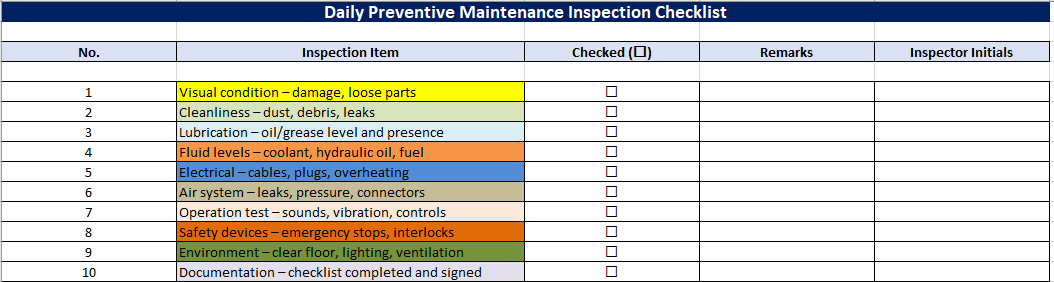
Daily Preventive Maintenance Inspection Checklist
How to Use the Daily Preventive Maintenance Checklist Effectively
This checklist was not designed to be a formality—it’s a working tool. For it to serve its purpose, the way it’s used matters just as much as the content.
1. Integrate It Into Daily Routines
Assign someone (usually a technician or line operator) to complete the checklist at a specific time each day—before startup or during shift change. Ensure it becomes part of the daily rhythm, not an afterthought.
2. Mark Clearly and Honestly
The checkbox (☐) column should be updated as “☑” only if the item was fully inspected and passed. If an issue is found, a short note should be left in the “Remarks” column.
3. Use Initials for Accountability
Having initials recorded each day creates traceability. If a piece of equipment fails, you can trace back the last check and determine if it was inspected, skipped, or marked incorrectly.
4. Address Issues Promptly
This isn’t just for record-keeping. If a technician notes, for example, “leak near valve” or “strange vibration at startup,” that information should trigger immediate review. A maintenance log can be tied to this checklist to track repairs.
⚙️ Customization Options
Every organization is different. While this checklist includes universal inspection points, you may want to adjust it for your own facility.
Here are a few ways to customize it:
- Add Specific Equipment Columns: For instance, a column for “Conveyor 1” or “Boiler Room Fan”
- Add Drop-downs: Use Excel’s data validation to allow status updates like “OK,” “Issue,” or “N/A”
- Use Conditional Formatting: Automatically highlight unchecked boxes or overdue tasks
- Add a Signature Field: If your checks require approval by a manager
📦 Implementation Tips for Teams
- Print and Laminate: For shop floors or outdoor use, print the checklist and place it in a protective sleeve or clipboard.
- Create a Monthly Folder: Save or print completed checklists daily, and file them in a binder or digital folder for record-keeping.
- Assign Rotation: Alternate who performs the check to promote team awareness and responsibility.
- Audit Weekly: Review a random sample of the checklists to ensure quality and consistency of the inspections.
Final Note
A checklist is only effective if it’s used with care and consistency. This Excel-based format simplifies inspection, encourages accountability, and provides a practical way to prevent minor issues from becoming major failures. As your operations grow, this simple sheet can be adapted to track more data or link to dashboards and reports—but it all starts with daily habits.
Recommandés