
Automated Daily Staff Absence Tracker with Printable Monthly Calendar in Excel
Recommandés
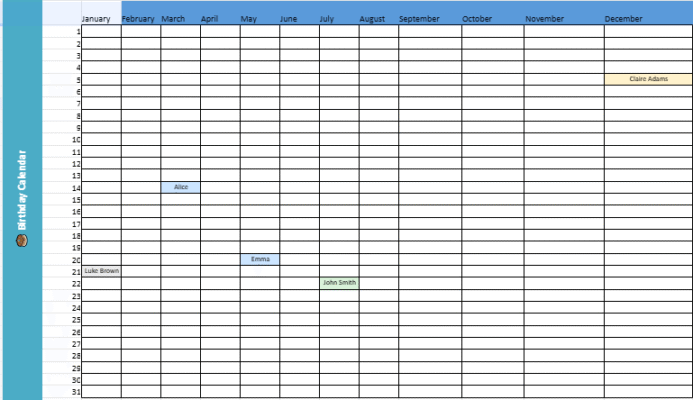
Download an automated daily staff absence tracker with printable monthly calendar ⬇️
1. Introduction
A Streamlined System for Organizing Employee Attendance Records: Enabling Real-Time Insights and Reducing Paperwork – Maintaining accurate staff attendance logs on a daily basis is an important aspect of human resources administration. A digitized, centralized solution not solely collects absence particulars but in addition allows automated evaluation of emerging patterns over time. Such an automated spreadsheet, with features like programmed notifications and reports, diminishes data entry errors and cuts back on routine tasks involved in upkeep of attendance files. This provides HR groups with spare capability to target strategic aims.
2. Main Objectives of the Tool
This tracker is designed to:
- Centralize data related to daily staff absences.
- Automate the calculation of absence hours based on start and end times.
- Standardize data entry through drop-down lists and pre-filled fields.
- Quickly identify critical situations with dynamic color coding.
- Facilitate reporting via an interactive dashboard.
3. Structure of the File
3.1 Daily Tracker Sheet
This is the main sheet where absences are recorded.
It includes:
- Date – entered in a standardized format.
- Employee Name – selected from a drop-down list linked to the staff database.
- Department (auto) – automatically filled based on the employee profile.
- Absence Type – chosen from a predefined list (sick leave, vacation, remote work, late arrival, etc.).
- Status – tracks approval stage (Pending, Approved, Rejected).
- Hours Absent – automatically calculated from start and end times.
- Comments and Supporting Documents – free-text areas for notes and attached documents.
A dynamic color-coding system allows quick identification of:
- Absence type (color-coded by category).
- Approval status (row highlighting based on status).
3.2 Staff Sheet
This sheet contains the reference information:
- Employee ID.
- Name.
- Department.
- Regular work schedule (start and end times).
It feeds the Daily Tracker to avoid manual typing errors.
3.3 Lists Sheet
Holds the drop-down menu options for:
- Absence Types.
- Departments.
- Statuses.
Updating these lists immediately updates the tracker’s data entry menus.
3.4 Dashboard Sheet
The dashboard provides a clear, actionable summary:
- Date selector to filter KPIs.
- Instant metrics:
- Total absences for the selected day.
- Approved and pending absences.
- Total hours absent.
- Breakdown of absences by type, displayed in a chart.
This sheet makes daily reporting and managerial briefings much easier.
4. Key Features
- Automated calculations – absence hours and daily totals.
- Drop-down menus – ensure consistent and standardized entries.
- Conditional formatting – highlight urgent or important cases.
- Print-ready format – A4 landscape, fits on one page.
- Interactive dashboard – with charts for quick visual analysis.
5. Benefits for the Organization
- Time savings – eliminates manual calculations and consolidates information.
- Improved data quality – through standardized inputs.
- Faster response – to manage absences and adjust workloads.
- Better decision-making support – with reliable, visual KPIs.
Automated Daily Staff Absence Tracker with Printable Monthly Calendar
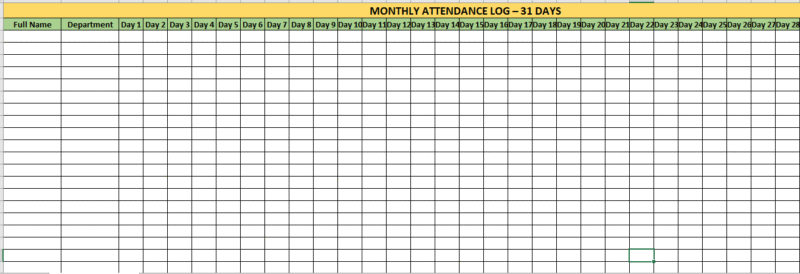
The Automated Daily Staff Absence Tracker is a fully automated Excel workbook designed to simplify the recording, monitoring, and analysis of staff absences. This enhanced version includes a printable Monthly Calendar view, making it ideal for HR managers, team leaders, and administrators who need both daily data and a visual monthly overview.
Key Features
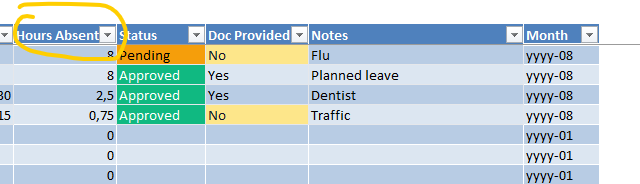
1. Absence Log (Main Data Entry)
- Predefined columns for ID, Date, Employee, Department, Shift, Absence Type, Duration, Start Time, End Time, Hours Absent (auto-calculated), Status, Document Provided, Notes, and Month.
- Dropdown menus for all critical fields to standardize data entry.
- Automated hours calculation:
- Full Day = 8 hours, Half Day = 4 hours.
- Custom hours calculated from Start and End times.
- Conditional formatting highlights pending, approved, rejected, or undocumented absences.
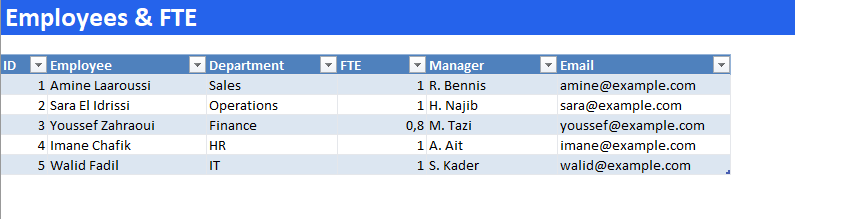
2. Employees Sheet
- Centralized staff list with ID, Name, Department, FTE, Manager, and Email.
- Linked dynamically to the Absence Log for dropdown selection.
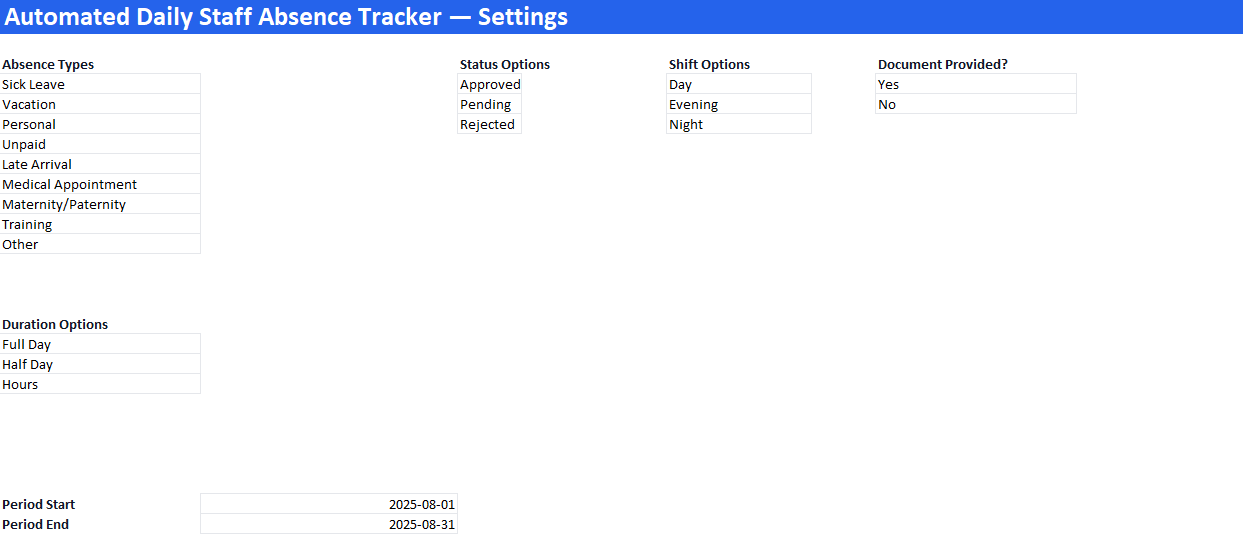
3. Settings Sheet
- Centralized list of Absence Types, Status Options, Shifts, Duration Types, and Document Provided options.
- Period Start and Period End settings to control dashboard and calendar reporting range.
4. Summary Dashboard
- KPIs: Total Absence Records, Total Hours Absent, Network Workdays, Scheduled Hours, and Absence Rate.
- Tables: Absences by Type & by Employee for the selected period.
- Interactive Chart: Column chart showing Absences by Type.
5. Printable Monthly Calendar
- A4 landscape layout, ready for printing.
- Month header updates automatically based on Settings → Period Start.
- Weekly grid (Monday–Sunday) showing:
- Day number
- Absence count for that day
- Total hours absent for that day
- Visual highlights:
- Gray = Days outside the selected month
- Shaded = Weekends
- Amber = Days with recorded absences
How to Use
- Update Employees: Enter or update the staff list in the Employees sheet.
- Log Absences: Use the Absence_Log sheet to record daily staff absences.
- Set Period: Adjust the Period Start and Period End in the Settings sheet.
- View Reports: Check the Summary sheet for KPIs and charts.
- Print Calendar: Go to Monthly_Calendar for a ready-to-print visual monthly view of absences.

The Strategic Role of HR in Modern Organizations
Once focused solely on administrative duties, human resources has evolved into a strategic partner crucial for success. Driving talent acquisition, cultivating culture and boost engagement, HR aligns workforce capabilities with evolving business demands.
HR as Strategic Partner
Proactively participating in planning ensures workforce readiness. This involves anticipating skill needs and designing training to close gaps. Developing clear career paths and leadership through succession planning and programs. Structured performance management directly links goals to objectives.
Data-Driven Decisions
Leveraging tools from attendance to surveys provides insights. Automated trackers identify trends in turnover and absenteeism. Performance dashboards forecast needs based on cycles. Surveys measure returns on training and development investments.
Positive, Inclusive Culture
A culture that attracts and retains top performers through onboarding support, wellness programs, and rewards beyond monetary incentives fostering loyalty.
Compliance and Risk Management
While expanding strategy, HR safeguards the organization through up-to-date labor knowledge, regular audits and training ensuring workplace safety, and consistent policy documentation application.
The Future of HR: Digital Transformation
Recruitment matching candidates and roles faster and precisely through AI. Self-service portals where employees can access leaves, benefits and training. Analytics to identify potential stars and disengagement signs early.
Blending strategic influence with advocacy and efficiency, HR not only fills but fuels growth by balancing business and employee needs. Investing in HR as a strategic partner equips organizations to adapt, innovate and thrive in changing times.
Recommandés